Same notes, easier to read
Bigger text, real capitals, three tips on how you hear.
Aaaand I’m back to using capital letters again, and I’ve tried to give the design a little lift too. I really liked the all-lowercase style, but I got the feedback that some people found it hard to read, and reading a newsletter shouldn’t be hard - it’s hard enough to get the emails opened in the first place.
Same me, same tips with a source behind them, just easier on the eyes. If anything reads worse now, just hit reply and tell me.
Try this
Three things research says about how you hear a mix.
1. Compare two fixed settings with a short gap
Hearing picks out a difference between two separate sounds more easily than the same change made smoothly inside one sound. In lab tests with tones, the difference was two to three times. A short pause between A and B doesn’t hurt.
- Duplicate the track. Set version A on one copy and B on the other, at matched level.
- Loop two to four bars and switch solo at the loop point.
- Decide on the switch, then commit. Skip the knob sweep.
2. Dull vocal on speakers? Try one speaker before you boost 2 kHz
A centred vocal on two speakers is a phantom image. Each ear also hears the far speaker, about 0.27 ms later, and that cancels sound around 1.85 kHz. Headphones don’t do this, so the same vocal can sound brighter there.
- Pan the vocal hard to one side for a moment, so a single speaker plays it.
- If it suddenly sounds brighter, the stereo centre caused the dullness, and EQ on the vocal won’t fix it.
- Check on headphones before you reach for EQ.
3. Look for wide bumps before narrow whistles
A wide, gentle resonance gets triggered by more of the music, so you hear it more often than a tall, narrow one. Dense, full sections show resonances best. A soloed dry track or headphones show them least.
- Loop the densest section with everything playing.
- In EQ Eight, sweep a wide bell (Q around 1) before you try narrow ones.
- Confirm on speakers.
Tips two and three come from Floyd Toole’s Sound Reproduction, if you want the long version.
From the studio
SYNC now runs between a Mac and a PC
SYNC lets two producers work on one Ableton Live set. The host sends a link, you both read four digits, and from then on every save travels to the other side. In the latest test round it ran between a Mac and a Windows PC with nobody touching either machine.
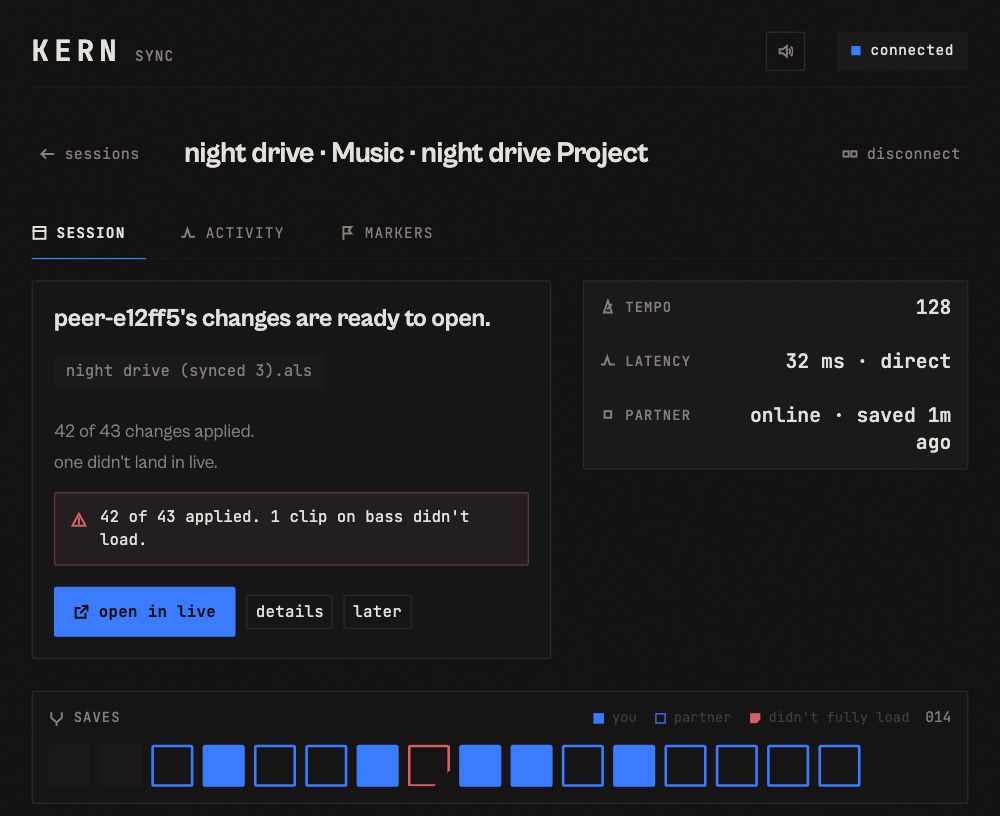
A paired session. The partner’s save arrives as its own copy, and the app says when something didn’t make it across. Sample data.
- Each partner save lands as a new copy next to your set. SYNC never writes to the file you have open.
- New: a strip of every save, yours and theirs, and a plain count when a change didn’t make it across.
- Next up: edits to notes and device settings. Some of those don’t travel yet, and that’s the job I’m on.
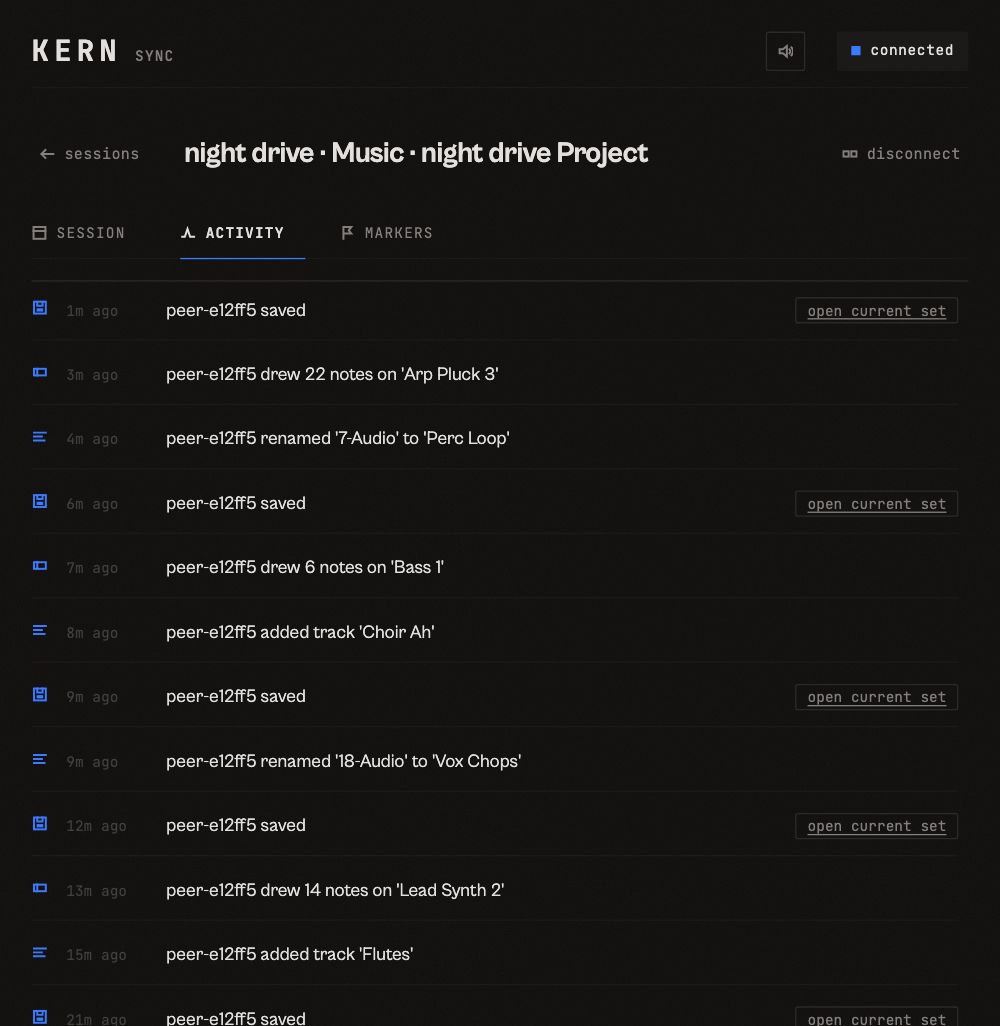
The activity tab: every partner save and what it changed. Sample data.
The plugins
- A maintenance update for all six plugins is in testing. It moves them to a newer version of the framework they’re built on. Every test render matched the current versions sample for sample, so the sound stays the same.
- It also fixes WARM’s display in Cubase.
- The bigger update to all five paid plugins is in blind listening tests against the versions you have now. It ships when it wins those tests.
P.S. If you and a partner both run Live 12 and want to try SYNC early, reply with your setup (Mac or PC, Live version).
more field notes
-
nov 10, 2026 · field notes
The test I can't cheat
A ten-minute blind test you can run on any plugin before Black Friday.
-
oct 27, 2026 · field notes
The part you were about to throw away
A reader put SMOOTH after a delay on a string part, switched Delta on and bounced that instead. Why it works, how to print it in Live, and why the part a cleanup tool removes is worth keeping.
-
may 5, 2026 · field notes
The case for fewer controls
Softube ships a four-knob controller. IZotope sells 17. The real question is not how many knobs but which ones are load-bearing.