for / game audio
the audio plugins shipping inside Steam games.
i built KERN to mix music. then i started shipping games with them. they turned out to do this better than i expected.
working notes from two titles in production: The Bornless (400,000+ wishlists on Steam) and HAM: The Game (#4 trending at launch). built by a music and sound engineer who values the craft.
five plugins. one license key. plus free CHECK.
 The Bornless · boss fight
watch on youtube
The Bornless · boss fight
watch on youtube
KERN sfx + dialogue chain on a Steam title with 400,000+ wishlists.
case study / 01
The Bornless.
a horror-action game with 400,000+ wishlists on Steam. KERN plugins are in the SFX pipeline, parts of the music, and the dialogue chain. boss-fight footage was released as a standalone music video.
watch on youtube


case study / 02
HAM: The Game.
#4 trending on Steam at launch. faster, broader-appeal title, more hits per minute. KERN plugins do impact-cleanup, dialogue body, and dynamic cue control across every sfx layer.


the pipeline
stems, daw, middleware, engine.
the workflow on both titles. nothing exotic. KERN plugins live in the daw stage, where they do the heavy lifting before the audio goes anywhere near the engine.
-
01
.wav stems
recorded or sourced. 24-bit, project sample rate. each sfx and dialogue line as its own discrete file.
-
02
ableton live
the mixing room. KERN plugins do their work here on stems and busses. resonance suppression, saturation, stereo placement, dynamic control. nothing gets to wwise until it is clean.
-
03
wwise
integration. loop points, attenuation curves, 3d positioning, randomisation. subtle edits only. the heavy lifting is already baked into the .wav.
-
04
unreal engine
runtime. the .wav files trigger from gameplay. spatial audio, occlusion, reverb sends. the audio just works because the assets were correct on the way in.
compatible with
ableton live · logic pro · pro tools · cubase · fl studio · reaper · bitwig | wwise · fmod · unreal engine · unreal MetaSounds · unity
KERN plugins ship as VST3 and AU. they run in any modern daw, then export to .wav for your middleware of choice. the chain is the same whether you ship on Steam, console, or mobile.
in the chain
which plugin does what.
one job per plugin. drag onto the relevant bus or stem, dial in the knob you actually need, render. that is the whole interaction.
SMOOTH
sfx harshness
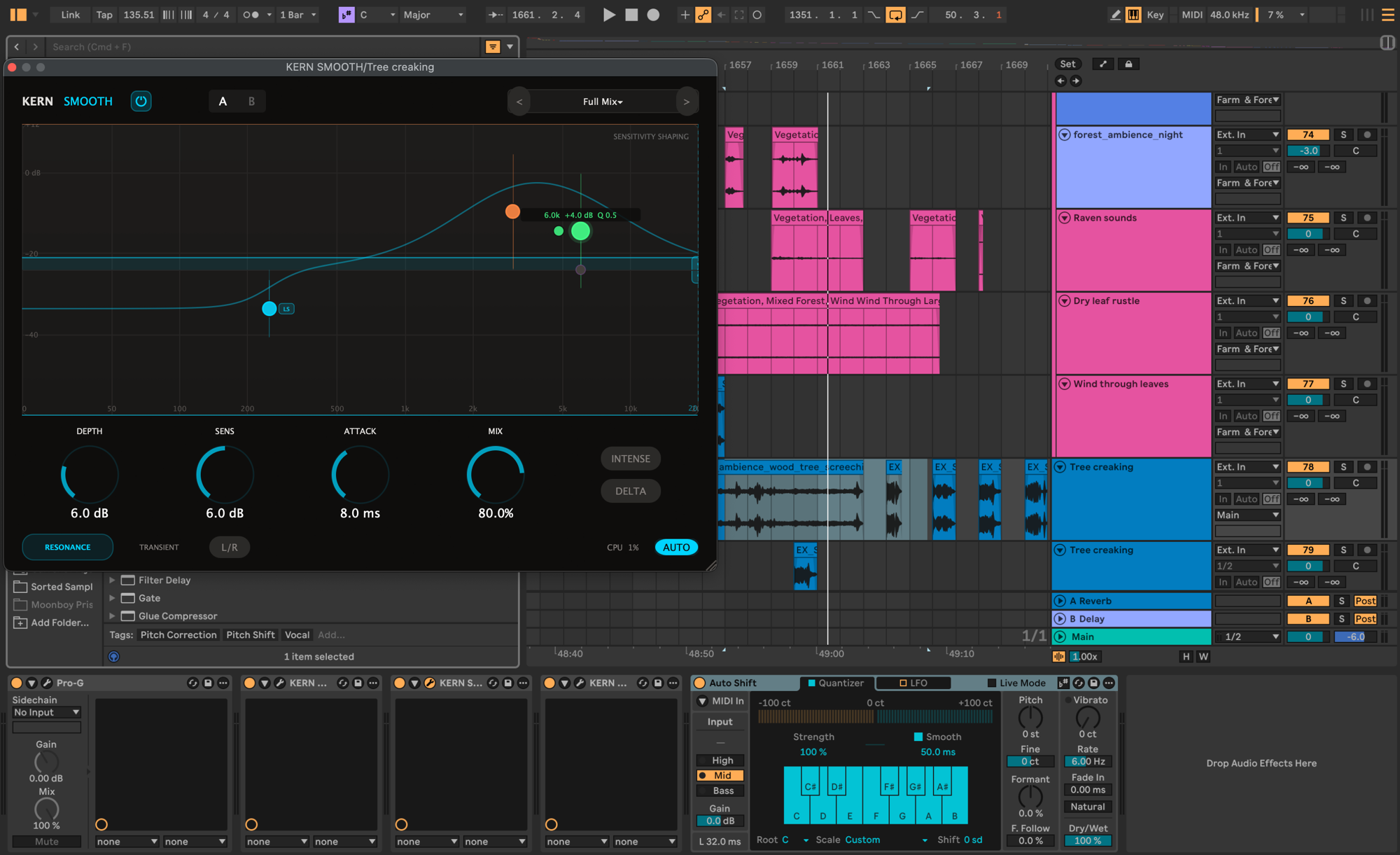
tree creaks, debris, weapon impacts, metal scrapes. anything where 2-4 kHz becomes a problem after pitch-shift or layered processing. tames the resonance without killing the body.
WARM
dialogue + drum body
low-end glue on combat impacts, dialogue body without muddying intelligibility, character on synthetic monster vocalisations. tape, tube, transformer. blend per harmonic.
WIDE
ambience width before spatial
forest beds, room tones, weather layers. pre-widen in stereo before letting wwise position it in 3d. mono-compatible by design so the engine cannot collapse it on phone speakers.
PUSH
dynamic sfx cues
controlling the dynamic envelope of long ambiences and dialogue cues so they sit cleanly under whatever the engine layers on top. spectral compression keeps transients alive.
CHECK
mono compatibility, every asset
free. checks every sfx and dialogue file for mono safety before it goes to wwise. game audio plays everywhere from phone speakers to surround. catch the bugs in the daw, not in qa.
what i learned shipping games
less is more, before spatial audio gets involved.
the biggest surprise was how much the mono-versus-stereo decision matters before wwise ever sees the file. game audio is going to be played through phone speakers, laptop laptops, surround systems, and binaural headphones. once spatial positioning, attenuation, and 3d are layered on top, anything you did in the daw stops being yours.
the rule i landed on: process for the smallest playback context, then trust the engine to scale up. a tree-creak rendered cleanly in mono survives every device. a stereo-wide bed-of-leaves reduces gracefully to mono. a sfx that depends on hard-panned stereo for impact disappears on a phone speaker.
KERN plugins help with this because they were built for music mixing, where the same constraint already exists. SMOOTH cleans resonance without smearing transients. WIDE adds psychoacoustic width that holds up in mono. CHECK tells you when you have lied to yourself. wwise gets a clean signal and only has to do its actual job.
and the corroborating bit, from elsewhere
- audiokinetic's own tutorials emphasise rendering pre-baked stems with conservative width: stereo files in wwise are still played back through a single positioning system, so the engine cannot distinguish your "wide" intent from "noisy".
- several game-audio tutorials covering ableton-to-wwise pipelines arrive at the same recipe: process aggressively in the daw, render to mono or narrow stereo, let middleware do the spatialisation. less is more.
- for an indie example, the J56wAx walkthrough on youtube shows the same pattern: clean .wav out of the daw, minimal in-engine dsp, attenuation curves doing the heavy lifting at runtime.
for indie devs
without a wwise license.
wwise is the studio standard. it is also expensive at scale and overkill for most solo or two-person teams. KERN does not care which middleware you use. the daw stage is the same. only the import target changes.
FMOD
free tier covers most indie projects. solid runtime mixer, parametric events, tight unity + unreal integration. KERN renders go in as .wav, exactly like wwise.
unreal MetaSounds
built into unreal. node-graph signal flow at runtime. you bake the heavy dsp in your daw with KERN, then assemble in MetaSounds. zero extra licensing.
unity audio mixer
the smallest path. import your KERN-processed .wav, route through unity's built-in mixer groups, ship. fine for game jams and prototypes.
free tool
the one that fixed the most bugs in the sfx pipeline.
CHECK is a free spectral mono compatibility analyzer. zero latency, no account, no iLok. game audio plays everywhere from phone speakers to home theatres, and CHECK is the cheapest way to find the problems before they reach qa.
download freemac + windows. VST3 + AU. always free.
the bundle
$69
five plugins. one license key. permanent. no iLok. no per-game royalty. plus free CHECK.
14-day refund. no questions asked.
questions
for game devs.
do KERN plugins run inside wwise or unreal at runtime? +
no. KERN plugins are VST3 and AU. they run in your DAW at design time. you process the audio in ableton (or any DAW), render to .wav, then import to wwise / fmod / metasounds. that is how almost every game actually does mixing. real-time DSP at runtime is the engine's job, not the plugin's.
what about FMOD or unreal MetaSounds? +
same workflow. process in your DAW, render, import. fmod's free tier is a great match for solo devs without a wwise license. metaSounds is built into unreal so there is no licensing question at all. KERN plugins do not care which middleware you use after the render.
can i use the same license in a commercial Steam release? +
yes. permanent license, no per-game royalty, no surprise fees. three activations per license, so your studio rig + laptop + render box all qualify. you activate once over the internet and it runs offline after that, re-checking the key about once a month only if the machine happens to be online and staying licensed if it cannot reach the server. for a render box that never goes online, ask me for the signed offline licence file.
do the plugins pass console certification? +
KERN plugins never run on the console. they live in your DAW. the rendered .wav files have no DRM, no online check-ins, and pass cert like any other audio asset. nothing in the audio pipeline phones home.
how does the bundle work for indie devs? +
the bundle is SMOOTH, WARM, WIDE, PUSH and OPEN for $69. one license key. cheaper than one soothe license. CHECK is free and stays free. solo dev to solo dev.
is there a discount for game studios? +
three activations is enough for most solo devs and small teams. larger studios should email me at jonas@kernaudio.io. happy to figure out a multi-seat path that does not involve activation servers or floating licenses.
studio enquiries
working on a Steam title and want to talk through whether KERN fits the chain? email jonas@kernaudio.io. solo dev, copenhagen, replies within a day.